Texts
Texts are an important part of your website: not just for your visitors to read your content, but also for Google and other search engines, as the quality and relevance of your texts, will contribute to show your website among the search engine results.
Adding Texts
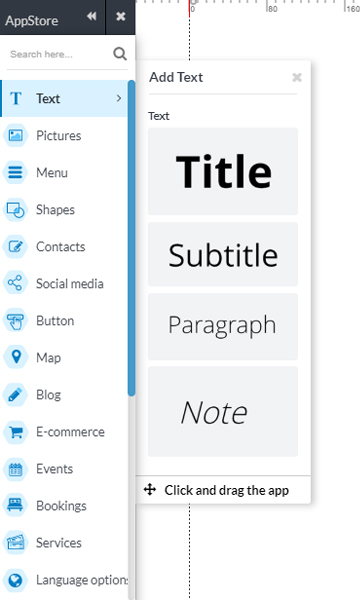
Adding text to your web site is very simple: click the text category in the Appstore on the left and then drag one of the formatting styles that are already preset for your web site in the work area.
Write the text
After you have added the App the Text on your page, double click on the App to start writing! The text will be selected, and you can delete it to insert your content.
When you have completed entering text, just click anywhere outside the box and it will save automatically.
There is no limit to the number of characters to enter: when you have written enough, and if the number of characters entered exceeds the space of the App Text, increase or decrease the size of the text box.
Customise the text
You may change the font, font size, color, and assign a style to your text, or a portion of it: bold, italic, and underline.
Click OK to confirm the style of the text.
You can also select the alignment of the text , choosing between left-aligned, centered, right alignment and justified.
Always click to confirm the change.
Additional settings
Double-click on the App-Text, from where you will see, at the top, the toolbar customization. Then, click on the icon wheel to the additional settings.
Select one of the styles available formatting, change line spacing, add bulleted or numbered list, and remove the formatting assigned to the text.
Add a link
Each portion of the text on your website can be linked to a different page, to an external website or to another App on the same page, as of yet.
Double-click on the App-text: in the top you will see the toolbar customization.
Click on the icon chain to access the panel of the Link and select from the different options